Accepting credit card payments is an important step for many small businesses in the United States. Whether you operate a retail store, provide professional services, sell products online, or work directly with customers, offering convenient payment options can make the purchasing process easier.
However, getting started involves more than buying a card reader. Business owners need to choose a payment processor, understand transaction fees, verify their business information, and select payment tools that match how they sell.
The good news is that many businesses can begin accepting card payments without investing in an expensive point-of-sale system.
This guide explains how to accept credit card payments in person, online, and by phone. You’ll learn about payment processors, merchant accounts, equipment, security requirements, pricing models, and practical ways to estimate your total costs.
By the end, you’ll have a clear checklist for choosing a suitable payment setup for your U.S. small business.
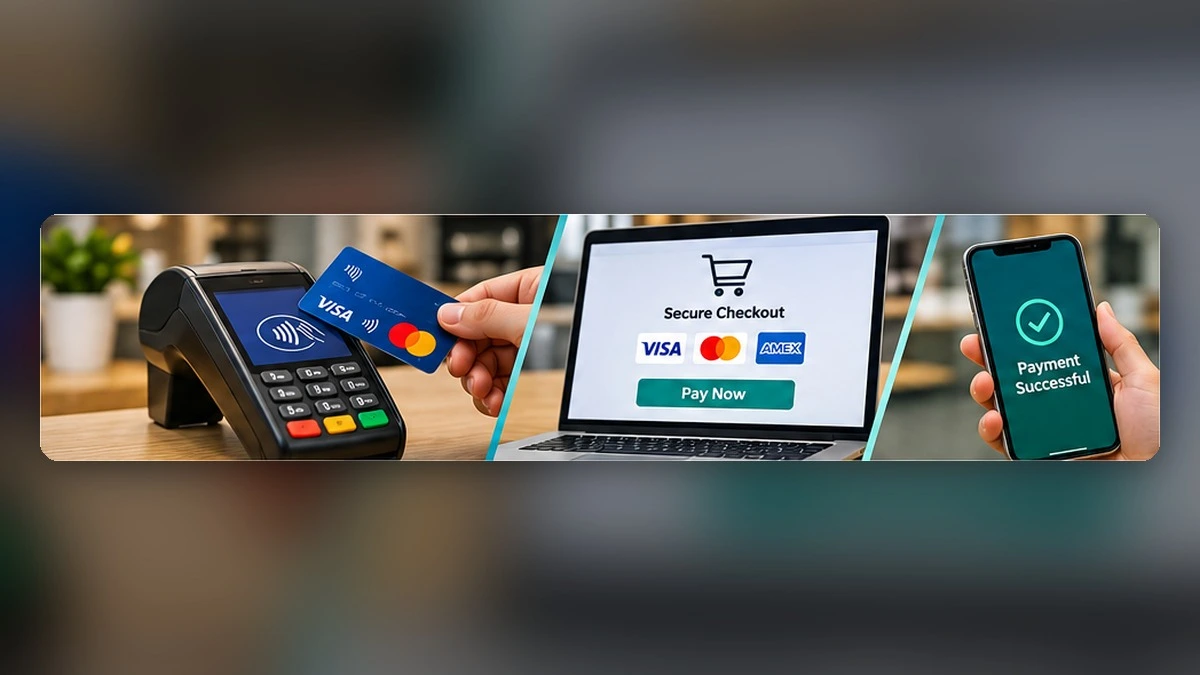
How to Accept Credit Card Payments: Quick Answer
To start accepting credit card payments, most small businesses follow six basic steps:
- Choose how customers will pay: In person, online, through invoices, or by phone.
- Select a payment provider: Compare processing rates, account requirements, and supported features.
- Complete business verification: Submit the identity, business, and banking information requested by your provider.
- Set up payment tools: Install compatible payment hardware, configure online checkout, or create payment links.
- Review security requirements: Use secure payment tools and understand your PCI DSS responsibilities.
- Test the process and start accepting payments: Confirm that checkout, receipts, refunds, and bank transfers work as expected.
The exact setup depends on your business model and provider.
A small contractor might only need online invoices and payment links, while a retailer may benefit from a POS system with integrated inventory management.
The key is to select the simplest reliable solution that meets your business needs.
Table of Contents
1. Understand How Credit Card Processing Works
Before choosing a payment provider, it helps to understand what happens when a customer pays with a credit card.
A typical card transaction involves several parties:
- Customer: The person making the purchase.
- Merchant: The business accepting the payment.
- Payment processor or provider: The company facilitating payment acceptance and transaction processing.
- Acquiring bank: The financial institution that supports the merchant’s acceptance of card transactions.
- Card network: A network such as Visa, Mastercard, American Express, or Discover.
- Issuing bank: The bank or financial institution that issued the customer’s card.
When a customer makes a payment, transaction information moves through the relevant payment systems to request authorization.
The customer’s issuing bank generally evaluates the transaction and returns an approval or decline.
An approved transaction can then move through clearing and settlement, with proceeds transferred according to the merchant’s payment provider and banking arrangements.
Important: An approved payment does not necessarily mean the money has already arrived in the merchant’s bank account.
Payment Authorization vs. Settlement
These terms describe different stages of processing:
Authorization confirms whether the transaction is approved.
Capture submits an authorized transaction for payment, where applicable. Many checkout systems automatically capture payments.
Settlement involves the financial processes used to complete payment between the relevant institutions.
Payout is the transfer of available merchant funds to the business’s linked bank account.
Depending on the provider, payouts can take additional time, and some transactions may be subject to reviews, reserves, or holds.
Understanding these stages helps business owners manage their cash flow.
2. Choose How Your Business Will Accept Credit Card Payments
There is no single payment setup that works best for every business.
The right method depends on where customers buy, whether you need inventory or invoicing features, and how often you process transactions.
Accept Credit Card Payments In Person
In-person payments are common for:
- Retail stores
- Restaurants and cafés
- Beauty salons
- Local service businesses
- Events and temporary market stalls
Businesses can use a compatible card reader, payment terminal, or point-of-sale system.
Customers may be able to insert a chip card, tap a contactless card, or use a supported digital wallet.
The equipment and payment methods available depend on the specific device and provider.
Best for: Businesses that regularly serve customers face to face.
Accept Credit Card Payments Online
Businesses with websites or online stores can accept payments through an integrated checkout.
A payment provider may offer a hosted checkout page or an integration that works directly with an e-commerce platform.
Customers enter payment information through the supported payment interface, and the payment provider processes the transaction.
Online checkout is useful for businesses that sell products, subscriptions, digital services, or other permitted goods and services.
Best for: E-commerce stores and businesses that accept website orders.
Accept Payments Through Invoices
An invoice payment system allows a business to send an invoice containing a payment option.
Customers can review the bill and pay through a secure payment page.
For example, a consultant may complete a project, send an invoice, and let the client pay electronically without visiting an office.
Depending on the provider, invoice software may also support reminders, recurring invoices, and payment tracking.
Best for: Freelancers, contractors, consultants, and service businesses.
Accept Credit Card Payments With Payment Links
Payment links allow a business to create a hosted payment page and share its link with customers.
Some providers let businesses create these links without coding or building a full e-commerce website.
A payment link may be shared through email, text messages, a business website, or other appropriate communication channels.
Customers complete the transaction on the provider’s secure payment page.
Best for: Businesses that want to accept payments online without building a complete online store.
Accept Credit Card Payments Over the Phone
Some businesses accept card payments during telephone orders.
This generally requires a provider-approved card-not-present payment method, such as a secure virtual terminal.
A virtual terminal is a payment interface that an authorized business user can access to enter transaction details.
Phone transactions may involve different processing rates and additional fraud considerations.
Businesses should follow their provider’s security procedures and avoid collecting card details through insecure communication channels.
Best for: Businesses with legitimate telephone-order workflows.
Accept Contactless Payments With a Smartphone
Some providers support Tap to Pay on compatible smartphones.
For example, supported solutions can allow a business to accept contactless cards and digital wallet payments without purchasing a separate card reader.
However, device compatibility, operating system requirements, supported markets, and available payment methods vary.
A smartphone-only setup may not support every payment scenario that a dedicated card terminal supports.
Best for: Mobile businesses that want a compact payment acceptance solution.
3. Compare Credit Card Payment Methods
The following table summarizes common payment methods and their typical uses.
| Payment Method | Typical Requirements | Best For |
|---|---|---|
| Card reader | Compatible reader and payment application | Small in-person businesses |
| Payment terminal | Supported terminal and processor | Countertop or portable payments |
| Full POS system | POS software and compatible payment setup | Retailers and restaurants |
| Online checkout | Website or online store integration | E-commerce businesses |
| Payment links | Supported payment provider account | Businesses without a full online store |
| Online invoices | Invoicing software and payment acceptance | Freelancers and service providers |
| Virtual terminal | Approved secure payment interface | Phone and certain remote orders |
| Tap to Pay on phone | Compatible smartphone and supported app | Mobile contactless payments |
Note: Requirements, features, fees, and supported payment methods vary by provider.
Which Payment Method Should You Choose?
A mobile service provider may find a smartphone-based payment solution sufficient.
A coffee shop might prefer a countertop POS system that manages sales and supports a compatible card reader.
An online consultant may not need physical payment equipment at all.
Instead of buying the most feature-rich system, identify what your business actually needs today and what it may need as it grows.
4. Choose a Credit Card Payment Processor
Selecting a payment processor is one of the most important decisions when you begin accepting credit card payments.
A suitable provider should support your type of business, required payment methods, expected sales activity, and preferred operating model.
Payment Service Provider vs. Traditional Merchant Account
Small business owners often encounter two types of payment arrangements.
Payment Service Provider (PSP)
A payment service provider may offer payment acceptance, checkout tools, merchant onboarding, and payment-related services through a consolidated platform.
These arrangements can simplify setup for many eligible businesses.
Traditional Merchant Account Arrangement
A traditional merchant services setup may involve a dedicated merchant account, an acquiring relationship, a processor, and a payment gateway where needed.
Businesses may receive customized pricing or services depending on their transaction volume, industry, and underwriting requirements.
Neither approach is universally better.
Comparison of Payment Arrangements
| Factor | Integrated Payment Provider | Traditional Merchant Services |
|---|---|---|
| Initial onboarding | Often streamlined | May involve more extensive underwriting |
| Pricing | Frequently standardized | Standard or negotiated pricing |
| Payment tools | Often integrated | Varies by provider and partners |
| Contracts | Provider-dependent | Provider-dependent |
| Setup complexity | Often simpler | Can be more involved |
| Customization | Varies by platform | May offer tailored arrangements |
These are broad characteristics. Actual providers and contracts can differ significantly.
Examples of Payment Providers
U.S. businesses may encounter payment services from companies such as:
Square
Offers in-person payment acceptance, POS-related tools, invoicing, and other business services.
Stripe
Offers online payment processing, checkout tools, payment links, invoicing, and in-person payment technology.
PayPal
Offers online payment acceptance, invoicing, and other business payment services.
These are examples, not endorsements or a ranking.
Before choosing any provider, confirm that your business activity, operating location, ownership structure, and intended transaction types are supported.
Questions to Ask Before Choosing a Processor
- Does the provider support my business category?
- Which credit and debit cards can I accept?
- What are the fees for in-person, online, and manually entered payments?
- Are there monthly subscription or account fees?
- What hardware or software is required?
- Can I issue refunds?
- How are chargebacks handled?
- How quickly are funds transferred to my bank?
- Are reserves or payment holds possible?
- What customer support is available?
- Can I export transaction records?
- What happens if I cancel the service?
Request written pricing details whenever possible.
5. Prepare the Information Needed to Accept Card Payments
Payment providers generally need to verify the identity of the business and relevant individuals before enabling payment processing.
The information requested varies by provider, business type, and applicable requirements.
Common examples include:
Business Information
- Legal business name
- Business address
- Business type or legal structure
- Description of products or services
- Business website or online presence, if applicable
- Business registration or tax information, when required
Identity Information
- Identity details for relevant owners or representatives
- Date of birth and contact information, where required
- Government-issued identification or other verification documents, when requested
Banking Information
- Eligible bank account details
- Account ownership information
- Additional documents requested for verification
Operational Information
- Expected transaction volume
- Typical transaction size
- Business activity and customer location
- Delivery or service fulfillment process
- Refund and cancellation policies
Some payment providers may request additional financial or business documents as part of their risk review.
Do You Need an LLC to Accept Credit Card Payments?
Not necessarily.
Some providers support eligible sole proprietors and other permitted business structures.
However, account eligibility and verification requirements depend on the provider and the jurisdiction where the business operates.
Forming an LLC does not automatically guarantee approval for a payment processing account.
Do You Need a Business Bank Account?
Businesses usually need an eligible bank account or another supported payout destination to receive funds.
The account requirements depend on the payment provider and business structure.
It is important to confirm whether the provider requires a business account, what account ownership rules apply, and which countries and banking arrangements it supports.
6. Set Up Your Payment System: Step by Step
Once you have chosen a provider, the following process can help you move from registration to your first payment.
Step 1: Create a Payment Provider Account
Visit the provider’s official website and begin the merchant registration process.
Use accurate information about your legal entity, ownership, and business activities.
Review the provider’s terms, supported industries, and applicable charges before proceeding.
Step 2: Complete Identity and Business Verification
Provide the requested identity, business, and banking information through the provider’s approved channels.
Avoid sending sensitive verification documents through unofficial links or unsolicited messages.
The provider may approve the account, request additional documents, or decline unsupported business activities.
Step 3: Connect Your Payout Account
Add an eligible bank account or supported payout destination.
Confirm that the account details and ownership information meet the provider’s requirements.
Review the expected payout schedule and any applicable transfer fees.
Step 4: Configure Your Payment Method
Choose the appropriate setup:
For in-person businesses: Connect a compatible card reader, terminal, or POS system.
For online stores: Configure a supported website checkout integration.
For service businesses: Create payment-enabled invoices or secure payment links.
For phone orders: Configure an approved virtual terminal workflow if supported.
Step 5: Set Up Receipts, Taxes, and Refund Policies
Review the settings for receipts, transaction descriptions, taxes, refunds, and customer communications.
Businesses should use a clear business name or statement descriptor so customers can recognize their purchases.
Tax requirements vary by jurisdiction and business activity. Confirm that the checkout configuration matches the business’s applicable obligations.
Step 6: Test the Payment Process
Use test mode or a sandbox when the provider offers one.
Confirm that:
- Checkout displays the correct amount.
- Supported payment methods work as intended.
- Customers receive appropriate confirmation.
- Transaction records appear correctly.
- Refund procedures are understood.
- Bank transfer settings are accurate.
- Failed or declined transactions are handled appropriately.
A test-mode transaction does not move real funds.
When using a live test payment, follow the provider’s testing and transaction rules.
Step 7: Start Accepting Payments
Once the account and payment tools are approved and configured, you can begin accepting supported transactions.
Monitor your initial payments, payout status, and any verification requests.
Keep records organized from the beginning.
7. How Much Does It Cost to Accept Credit Card Payments?
Credit card processing involves more than one possible expense.
The total cost depends on the processor, payment channel, transaction value, pricing structure, and any additional services used.
Percentage-Based Processing Fees
Many providers charge a percentage of each transaction amount.
For example, a hypothetical processing rate might be 2.9% of the transaction value.
Per-Transaction Fees
Some pricing models also include a fixed amount per transaction, such as $0.30.
These fees matter especially for businesses that process many small purchases.
Monthly Software Fees
POS systems, invoicing platforms, and specialized payment tools may charge monthly or annual software subscriptions.
Some providers offer plans with no monthly subscription charge, while others charge for advanced features.
Hardware Costs
Businesses may need to purchase a payment terminal, card reader, tablet, receipt printer, or other equipment.
Hardware expenses vary considerably based on the selected setup.
Other Potential Expenses
Depending on the provider, additional costs may include:
- Payment gateway fees
- Chargeback or dispute fees
- International card fees
- Currency conversion charges
- Optional fraud management services
- Advanced POS subscriptions
- Additional software integrations
- Instant payout fees
- Equipment rental or replacement costs
Not all providers charge every fee.
Examples of Published U.S. Pricing
As referenced in November 2026, official pricing pages provided the following examples:
| Provider and Payment Type | Published Example Rate |
|---|---|
| Stripe — Standard domestic online card payments | 2.9% + $0.30 |
| Square Free — Standard in-person tap, dip, or swipe | 2.6% + $0.15 |
These examples apply to different payment channels and must not be treated as a direct like-for-like comparison.
Actual charges can vary according to the selected plan, card type, transaction circumstances, additional services, and any individually negotiated terms.
Always verify current pricing on the provider’s official website before making a decision.
8. Example: Calculate Monthly Credit Card Processing Fees
Let’s estimate processing costs for a hypothetical U.S. small business.
Assume:
- Monthly card sales: $12,000
- Monthly card transactions: 240
- Average transaction value: $50
- Illustrative processing rate: 2.9% + $0.30 per transaction
These are example inputs, not a guaranteed merchant quote.
Step 1: Calculate the Percentage Fee
$12,000 × 2.9% = $348
Step 2: Calculate the Fixed Transaction Fees
240 × $0.30 = $72
Step 3: Calculate Total Monthly Fees
$348 + $72 = $420
Step 4: Estimate Annual Fees
$420 × 12 = $5,040
This assumes the same monthly transaction activity and pricing throughout the year.
Estimated Processing Cost Summary
| Metric | Estimated Amount |
|---|---|
| Monthly card sales | $12,000 |
| Monthly transactions | 240 |
| Average transaction value | $50 |
| Percentage-based fees | $348 |
| Fixed transaction fees | $72 |
| Total monthly processing fees | $420 |
| Estimated annual processing fees | $5,040 |
| Effective processing rate | 3.50% |
The effective processing rate is calculated by dividing total processing fees by total card sales.
$420 ÷ $12,000 × 100 = 3.50%
This example excludes subscriptions, hardware, refunds, disputes, currency conversion, and other possible fees.
Why Your Average Transaction Value Matters
The fixed fee per transaction can significantly affect total costs.
Consider the same $12,000 in monthly sales using the illustrative rate of 2.9% + $0.30.
| Monthly Transactions | Average Ticket | Estimated Fees |
|---|---|---|
| 120 | $100 | $384 |
| 240 | $50 | $420 |
| 480 | $25 | $492 |
The percentage-based portion remains $348 in each case, while the total fixed transaction fees change.
This is why businesses should compare processing rates using both their monthly sales volume and transaction count.
Estimate Fees With BizCostLab
Use the free Payment Processing Fee Calculator on BizCostLab to compare your estimated payment processing expenses.
Enter your expected sales volume, transaction count, processing percentage, and applicable fixed transaction fees.
For businesses buying physical payment equipment, use our POS Cost Calculator to estimate related hardware and software costs.
These estimates can help you prepare questions for potential payment providers before signing a contract.
9. Understand Credit Card Processing Pricing Models
Payment providers do not all charge fees in the same way.
Three common pricing approaches are flat-rate, interchange-plus, and tiered pricing.
Flat-Rate Pricing
A flat-rate model generally charges a defined percentage and, in some cases, a fixed amount per transaction for a specified payment category.
For example:
2.9% + $0.30 per eligible transaction
The advantage is that merchants can estimate costs relatively easily.
However, different transaction channels, card types, and additional services may still have different rates.
Interchange-Plus Pricing
Interchange-plus pricing separates underlying card acceptance costs from the processor’s markup.
The final amount generally depends on the applicable interchange fees, network assessments, and processor charges.
This model can offer greater visibility into fee components, but calculations and statements may be more complex.
Tiered Pricing
Tiered pricing groups transactions into categories that may be described as qualified, mid-qualified, or non-qualified.
Each category can carry different fees.
Businesses should understand how transactions are assigned to each tier before accepting this type of agreement.
Which Pricing Model Is Better?
The best model depends on transaction volume, average ticket size, card mix, sales channels, and provider terms.
A simple flat-rate structure may be convenient for a new business.
A business with substantial volume may prefer to evaluate detailed quotes and other available structures.
For a deeper comparison, read our guide Flat-Rate vs. Interchange-Plus Pricing: Which Is Better for Small Businesses?
10. How to Accept Credit Card Payments Without a Website
A business does not necessarily need a website to accept card payments.
Several legitimate options may be available.
Option 1: Payment Links
A provider-generated link sends the customer to a secure checkout page.
This can be useful for occasional sales, services, and businesses that communicate directly with customers.
Option 2: Online Invoices
An invoice can contain the amount owed, business details, and a supported online payment option.
This is useful when billing customers after completing a service.
Option 3: Mobile Payment Tools
Compatible smartphones and card readers may allow in-person payments without a traditional website.
Option 4: Hosted Checkout Pages
Some payment providers offer hosted payment pages that can be used with selected business workflows.
A full online store may not be necessary.
Important: Even without a website, the provider may still require business information, verification documents, and details about how goods or services are sold.
11. Credit Card Payment Security and PCI Compliance
Payment security should be part of the setup process, not an afterthought.
Businesses accepting payment cards may have obligations under the Payment Card Industry Data Security Standard (PCI DSS).
PCI DSS is a security standard intended to help protect payment card account data.
It applies to payment environments regardless of business size, although the relevant requirements and validation methods can vary.
Use Trusted Payment Systems
Choose approved payment hardware and reputable payment providers.
Avoid unsupported payment devices or payment forms that expose customer card details unnecessarily.
Reduce Direct Access to Card Data
Using a reputable hosted checkout or properly integrated payment solution may reduce the amount of sensitive card data handled by the business.
However, outsourcing payment processing does not automatically remove all PCI DSS responsibilities.
Never Store Card Verification Codes After Authorization
PCI DSS prohibits storing sensitive authentication data such as CVV or CVC values after authorization, even if encrypted.
Businesses using recurring payments should rely on approved payment provider features rather than retaining these codes.
Protect Your Business Accounts
Use strong authentication, restrict employee access, and keep payment-related software updated.
Review account permissions when employees change roles.
Be Careful With Phone and Email Payments
Avoid asking customers to send full card details through ordinary email, chat, or text messages.
For telephone transactions, use a provider-approved secure workflow and follow the relevant data handling requirements.
Review Your Compliance Responsibilities
Your acquiring bank, payment provider, or relevant payment brand can help clarify the validation requirements applicable to your business.
Security responsibilities may differ based on whether payments are accepted in person, through e-commerce, or through other channels.
12. How to Reduce Credit Card Processing Costs
Accepting card payments involves expenses, but there are several ways to make costs more predictable.
Compare the Full Cost, Not Only the Advertised Rate
A provider with a low percentage fee might charge additional monthly or per-transaction expenses.
Compare complete quotes using your actual transaction activity.
Review Your Average Transaction Size
A fixed per-transaction fee can have a greater impact when your average purchase amount is small.
Understand how the combination of percentage and fixed fees affects your business.
Avoid Unnecessary Software Subscriptions
Choose features that match your current requirements.
Paying for inventory, loyalty, or multi-location tools may be unnecessary if your business does not use them.
Understand Card-Present and Card-Not-Present Pricing
In-person transactions using supported payment hardware may have different pricing and risk characteristics from online or manually entered transactions.
Use the appropriate payment channel for each legitimate transaction.
Review Processing Statements
Monitor your fees regularly and investigate unexpected changes.
If your sales volume grows, consider asking providers whether alternative pricing is available.
Consider Other Payment Methods Where Appropriate
Certain businesses may benefit from offering supported bank transfer methods alongside credit cards.
Compare the associated costs, settlement timing, customer experience, and risks.
Be Careful With Credit Card Surcharges
Rules for adding card surcharges vary by jurisdiction, card network, transaction type, and merchant agreement.
Do not introduce a surcharge without verifying the relevant state laws, card-network rules, required disclosures, and provider requirements.
Rules for credit cards and debit cards are not necessarily the same.
13. Refunds, Chargebacks, and Payment Disputes
Accepting credit cards also requires a process for handling customer problems.
What Is a Refund?
A refund occurs when a business returns all or part of a customer’s payment through an appropriate payment process.
Refund timing and processing-fee treatment depend on the provider.
What Is a Chargeback?
A chargeback is a dispute process initiated through the cardholder’s issuing bank or relevant payment system.
The customer may dispute a transaction because of suspected fraud, an unrecognized charge, a service problem, or another qualifying reason.
A dispute may lead to temporary or permanent movement of funds and additional fees, depending on the outcome and payment agreement.
How Businesses Can Reduce Dispute Risk
- Describe products and services accurately.
- Display clear pricing and refund terms.
- Provide receipts or transaction confirmations.
- Use a recognizable business statement descriptor.
- Maintain records of orders and service completion.
- Respond promptly to customer concerns.
- Follow the payment provider’s dispute deadlines and procedures.
Good customer service and clear records may help, but they cannot eliminate every dispute.
Keep Appropriate Transaction Records
Depending on the business and applicable rules, relevant records may include invoices, order confirmations, proof of delivery, customer communications, and refund details.
Store records securely and avoid retaining prohibited sensitive authentication data.
14. Best Payment Setup for Different Small Businesses
A business should choose payment tools based on how customers make purchases.
Retail Store
A retail shop may benefit from a POS system with product management, sales reporting, and compatible payment hardware.
Suggested approach: Integrated retail POS with card acceptance.
Restaurant or Café
Restaurants may need order management, tips, receipt printing, and other hospitality features.
Suggested approach: Restaurant-oriented POS with suitable payment terminals.
Freelancer or Consultant
A consultant may not need a dedicated card terminal.
Suggested approach: Secure online invoicing and payment links.
Mobile Service Provider
A technician, event vendor, or mobile professional may prefer a compact payment solution.
Suggested approach: Compatible Tap to Pay application or mobile reader.
Online Store
An e-commerce business needs a reliable online checkout that works with its website platform.
Suggested approach: Supported checkout integration with appropriate fraud and security tools.
Subscription-Based Business
A business that collects recurring charges may need subscription billing, customer authorization, and account management tools.
Suggested approach: Payment provider with supported recurring billing features.
Multi-Location Business
Businesses operating multiple locations may benefit from consolidated reporting, employee access controls, and integrated sales management.
Suggested approach: Scalable POS and payment platform with multi-location support.
15. Common Mistakes to Avoid When Accepting Credit Cards
New merchants can encounter unnecessary expenses or operational problems when they overlook important details.
Mistake 1: Choosing a Processor Based Only on the Lowest Advertised Rate
A low advertised processing percentage may not reflect total expenses.
Check fixed transaction fees, subscriptions, additional charges, and contractual terms.
Mistake 2: Buying Hardware Before Checking Compatibility
Payment terminals are not automatically compatible with every payment processor.
Confirm supported devices and integrations before purchasing equipment.
Mistake 3: Ignoring Business Verification Requirements
Business information must be accurate and consistent with the provider’s requirements.
Incomplete information can delay onboarding or lead to additional reviews.
Mistake 4: Assuming Every Payment Is Deposited Immediately
Authorization, settlement, and payout are different processes.
Review the provider’s payout schedule and any possible restrictions.
Mistake 5: Ignoring Refund and Dispute Policies
A business should understand how to process refunds and respond to chargebacks before accepting live payments.
Mistake 6: Using Insecure Methods to Collect Card Information
Avoid insecure storage and transmission of sensitive payment information.
Use approved payment technology and follow applicable security requirements.
Mistake 7: Paying for Features the Business Does Not Need
An advanced POS subscription may be unnecessary for a business with simple payment requirements.
Choose based on operational needs, not only marketing claims.
16. Small Business Credit Card Acceptance Checklist
Before taking your first live card payment, review the following checklist.
Business Setup
- Confirm your business is eligible for the chosen provider.
- Prepare accurate business and identity information.
- Review the provider’s terms and prohibited activities.
- Connect an eligible payout account.
Payment Tools
- Choose the appropriate payment acceptance method.
- Confirm hardware and software compatibility.
- Configure checkout, invoices, or payment links.
- Check supported cards and digital wallets.
Pricing
- Review percentage-based processing fees.
- Review fixed per-transaction fees.
- Check subscriptions and equipment expenses.
- Understand dispute and refund charges.
- Estimate monthly and annual costs.
Security and Operations
- Understand your PCI DSS responsibilities.
- Protect business account access.
- Configure receipts and refund policies.
- Test supported payment workflows.
- Understand settlement and payout timing.
- Establish a process for handling disputes.
A structured setup can help your business avoid common problems when introducing card payments.
Frequently Asked Questions
How do I start accepting credit card payments for my small business?
Choose a supported payment provider, complete business verification, configure an eligible payout account, and set up an approved way to accept payments. Test the system before taking live transactions.
Can I accept credit card payments without a business website?
Yes. Eligible businesses may use payment links, invoices, mobile readers, or other provider-supported tools without operating a full e-commerce website.
Can I accept credit card payments using only my phone?
Sometimes. Compatible smartphones and payment applications may support contactless payments. Features, devices, and supported markets vary.
Do I need a merchant account to accept credit card payments?
A merchant acceptance arrangement is required, but you may not need to open a separate traditional merchant account yourself. Some integrated providers handle the necessary arrangements within their services.
How much does it cost to accept credit card payments?
Costs depend on the provider, transaction type, pricing model, and additional services. Many providers charge a percentage plus a fixed amount per transaction. Compare current quotes using your actual monthly sales and transaction count.
Can I accept credit card payments without buying a card reader?
Yes. Businesses may use online checkout, payment links, invoices, or supported Tap to Pay solutions without purchasing a traditional card reader.
Is it safe to accept credit card payments online?
Online card acceptance can be managed securely through properly configured payment providers and appropriate security controls. Businesses must still understand and meet their applicable responsibilities.
Do I need an LLC to accept credit card payments?
Not always. Some payment providers support eligible sole proprietors and other business structures. Requirements vary by provider and jurisdiction.
How long does it take to receive credit card payments?
Payout timing depends on the provider, account status, payment method, banking schedule, and possible reviews. An approved transaction does not always result in an immediate bank deposit.
Can small businesses accept Visa and Mastercard?
Many payment processors support Visa and Mastercard, along with other card networks. Confirm the specific cards and transaction types supported by your chosen provider.
Are manually entered credit card payments more expensive?
They can be. Some providers apply different rates to manually entered or card-not-present transactions. Check the applicable pricing schedule.
What happens if a customer disputes a credit card charge?
The payment may enter a chargeback or dispute process. The merchant may be able to respond with relevant evidence within the provider’s deadlines. Financial outcomes and fees depend on the specific circumstances.
What is the cheapest way to accept credit card payments?
There is no universally cheapest solution. Costs depend on transaction volume, payment channel, card mix, software subscriptions, and other fees. Compare complete pricing using your business’s actual transaction activity.
Can I change payment processors later?
Often, yes, subject to contract terms and technical compatibility. Consider data portability, equipment compatibility, cancellation conditions, and migration requirements before switching.
Final Thoughts: Choosing the Right Credit Card Payment Setup
Learning how to accept credit card payments is an important part of building a flexible small business.
The right approach depends on your business model, customer needs, payment channels, and operating budget.
A small service provider may be able to begin with payment links or invoices, while a retail business may benefit from a more complete POS system.
Before committing to a provider, compare processing rates, fixed transaction charges, software subscriptions, hardware costs, payout schedules, security responsibilities, and dispute procedures.
Avoid choosing a payment solution based only on the lowest advertised transaction fee.
Instead, identify the tools your business needs and calculate the total cost of using them.
Ready to estimate your payment expenses?
Use BizCostLab’s free Payment Processing Fee Calculator to model transaction fees using your own sales figures.
If you also need physical checkout equipment, explore our POS Cost Calculator and read POS System vs. Payment Terminal: Which Is Better for Your Business?
With the right information, you can choose a payment setup that fits your business without adding unnecessary complexity or unexpected costs.
Official Sources and Further Reading
The following official resources provide further information about card acceptance, provider pricing, account requirements, and payment security.
- Stripe — How to Accept Credit Card Payments
- Stripe — Pricing and Fees
- Stripe — Payment Links
- Square — Payment Processing Fees
- Square — Payment Hardware and Readers
- PayPal — Business Transaction Fees
- PCI Security Standards Council — Merchant Resources
- PCI Security Standards Council — Merchant Compliance Responsibilities
- Stripe — Business Verification Requirements
- Visa — Merchant Resource Library
Editorial note: This guide was prepared using information available in November 2026 for educational purposes. Provider pricing, eligibility, supported features, and payment industry rules may change. Financial calculations are illustrative estimates rather than actual merchant offers. Verify current provider terms and consult appropriate professional advisers for business-specific legal, tax, or compliance questions.